Driver Easy activation connects your purchased entitlement to the installed app. If it fails, first decide whether you have a missing key, an unapproved order, an expired subscription or a connection problem. Trying random keys or repeatedly buying the product does not answer that question.
Collect the right details
Have the order email, purchase address and order number ready. Copy the license from the actual purchase confirmation, not a public key-sharing page. Keep the full key private: it should not appear in screenshots, forum posts or comments on an independent guide.
Before changing anything, write down the exact activation message. 'Expired' and 'unable to connect' point to different next steps. Also note the installed app version and whether you recently replaced the PC or reinstalled Windows.
Activate a purchased Pro license
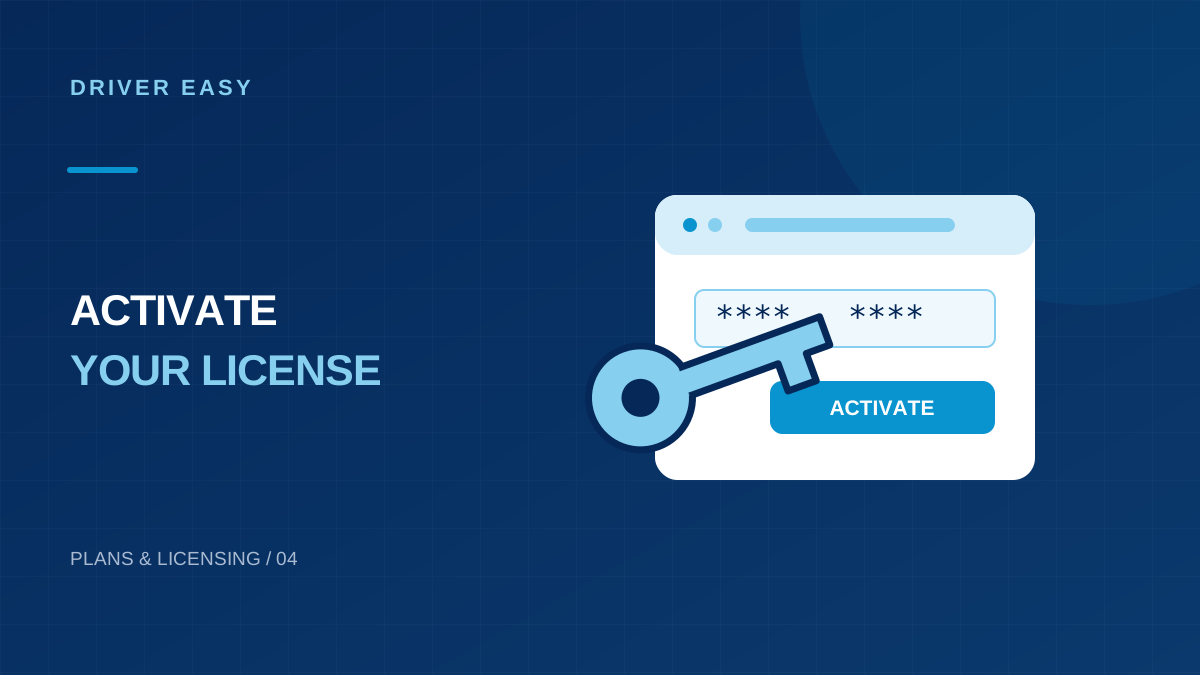
- Open the installed Driver Easy app.
- Use the Upgrade entry or the activation control shown in your version.
- Paste the license key from the order email, checking for accidental spaces.
- Choose Activate Now and wait for the result.
- Check the displayed subscription status before attempting driver updates.
The publisher describes this flow in its activation guide. Interface labels can differ between releases; use the current in-app subscription information if your layout has changed.
If the key never arrived
Check spam and search the mailbox used during purchase. The publisher FAQ explains that transaction review can delay key delivery and links to a resend-key service. A payment authorization does not necessarily mean that the order has already completed.
Do not submit another payment simply because an email is late. Review the order status and contact official support with the purchase email or order number. If you used the wrong address, explain that privately to the payment provider rather than posting payment evidence publicly.
Match the message to the next action
| Message or symptom | Check next |
|---|---|
| Key rejected | Copy the purchased key again and confirm the order is for this product. |
| License expired | Review the subscription term and renewal status. |
| Machine allowance reached | Check the purchased PC allowance and ask support about old activations. |
| Cannot connect | Check app connectivity and the exact network error. |
| Payment pending | Resolve the order status with the official payment provider. |
This table is a triage aid, not a promise that each error has one cause. Keep the complete message for support.
Check connectivity without weakening security
Verify that ordinary websites load. Then inspect a configured VPN or proxy, particularly on a managed computer. The publisher's connection guidance includes an in-app Internet Connection test. Only change a proxy setting if you understand why it is present.
Do not turn off antivirus or the firewall as a routine activation step. If protection blocks the app, inspect the alert, verify the source and obtain an administrator's help for an appropriate exception.
Manage the subscription separately
Activation status in the app and billing details serve different purposes. The subscription FAQ describes order access through 2Checkout and cancellation through the publisher's documented process. Use links reached from the official help page rather than an unsolicited renewal message.
If activation still fails, send support the error text, app version, Windows version and order reference. Redact card details and license characters from screenshots unless the official support channel specifically needs them.
Build a private purchase record
Start by collecting the purchase date, order reference and the email address entered at checkout. Keep them in a private note rather than a screenshot you might post publicly. If you purchased several software products around the same time, confirm that the receipt actually names Driver Easy. A payment notification alone may identify the payment processor without clearly identifying the product or license.
Compare the purchased plan with the computer you are activating. A license covering several PCs still has a defined allowance, and a previously used machine may matter when you reach that limit. Do not assume reinstalling Windows or replacing hardware is handled identically under every plan. Check the publisher's current licensing instructions before buying another subscription to solve an unclear activation message.
If another family member arranged the purchase, ask them to retrieve the receipt through their own mailbox. There is no reason to share an entire email account or payment login to recover one order. The useful information is the order reference and the purchasing address. Having those details ready makes a private support request more precise and avoids repeated requests for information you could have collected at the start.
Enter the key carefully and interpret the response
Copy the key directly from the legitimate purchase message when possible. Watch for spaces added before or after the selection and avoid copying explanatory text along with the key. If you are entering it manually, compare each group of characters with the original rather than repeatedly guessing. A transcription mistake can look like a licensing problem even when the purchase itself is valid.
Read the complete response after submitting the key. An invalid-key message, an expired entitlement and an inability to contact the server describe different situations. Write down the wording exactly. If activation succeeds, reopen the relevant subscription or account view and check the status shown there. Do not repeatedly submit the key merely because a different part of the application still displays an old screen.
Use the same deliberate approach if activation works on one computer but fails on another. Compare application versions, the plan allowance and whether the second computer is managed by an organization. These differences provide useful clues. Copying configuration folders between computers is not a dependable substitute for the documented activation process and can make the original problem harder to explain.
Investigate connection failures with specific evidence
A working browser establishes that some internet access exists, but it does not prove the application can reach its activation service. Note whether the error appears immediately or after a long wait, and whether other application features also fail. If your network requires a proxy, compare its documented configuration with the application's available connection settings. Make one change at a time and record the outcome.
Check that Windows shows the correct date, time and time zone. A badly incorrect clock can interfere with secure connections. If the computer belongs to an employer, contact the administrator about network restrictions instead of changing corporate security settings. On a personal computer, an approved alternative connection can help determine whether the issue follows the network or stays with the device.
Avoid treating a server connection problem as evidence that your key has been stolen or your payment failed. Those conclusions require additional information. Save the error and try the publisher's support route if the failure repeats. Share only the details requested through a trusted private channel, and redact the license key from any public forum post discussing the same symptoms.
Confirm the outcome and avoid duplicate purchases
After a successful activation, record the application version, the date and the status displayed by the program. Keep the original receipt because it can be useful if you replace the computer or later need order assistance. A working activation is evidence that the program accepted the entitlement at that moment; it does not replace your record of renewal terms or the number of computers covered.
If you already paid but still cannot activate, do not immediately purchase a second plan. First check whether you used a different email address, whether the order is complete and whether the key belongs to the intended product. Search your mailbox using the product name and order reference. If support resolves the issue, keep the explanation with your receipt so you can recognize the same situation later.
Example: a purchase exists but activation fails
Suppose you have a completed order email, but the application reports that it cannot contact the server. Keep the receipt and copy the full error text. Check the computer's clock and ordinary connectivity, then review any required network configuration. Repeatedly entering the same key does not address a connection failure.
Frequently Asked Questions (FAQs)
Is there a Driver Easy login I must use before activation?
The official activation instructions use a license key. Billing account access is a separate process described by the payment provider.
Can I use one license on unlimited PCs?
Use only the number of computers included in your purchased plan. Check the order terms rather than assuming an unlimited allowance.
What should I check before contacting activation support?
Keep your order reference, purchase email and exact activation error ready. Describe whether the key was rejected or the activation request could not connect. Never post the full license key in a public comment or screenshot.
Conclusion
Activate Driver Easy using the details supplied with your purchase, then confirm the app recognizes the expected license. Keep activation, billing and device limits separate when troubleshooting. If the error continues, provide support with the relevant order information and error message. A clear record of the failure helps resolve the correct issue without repeated purchases or unnecessary reinstalls.